Studio Standards

Deezer
- ✦Massive official library
- ✦Artist and album pages
- ✦More accurate lyrics
- —Playback may take 2-10 seconds
A music player for your computer.
Finds tracks on Deezer and SoundCloud, then plays and downloads them right on your computer, from your own IP. The EXØS server only handles search, lyrics and your account.
Version 0.8.2 · Windows, macOS and LinuxDeezer · SoundCloud · YouTube
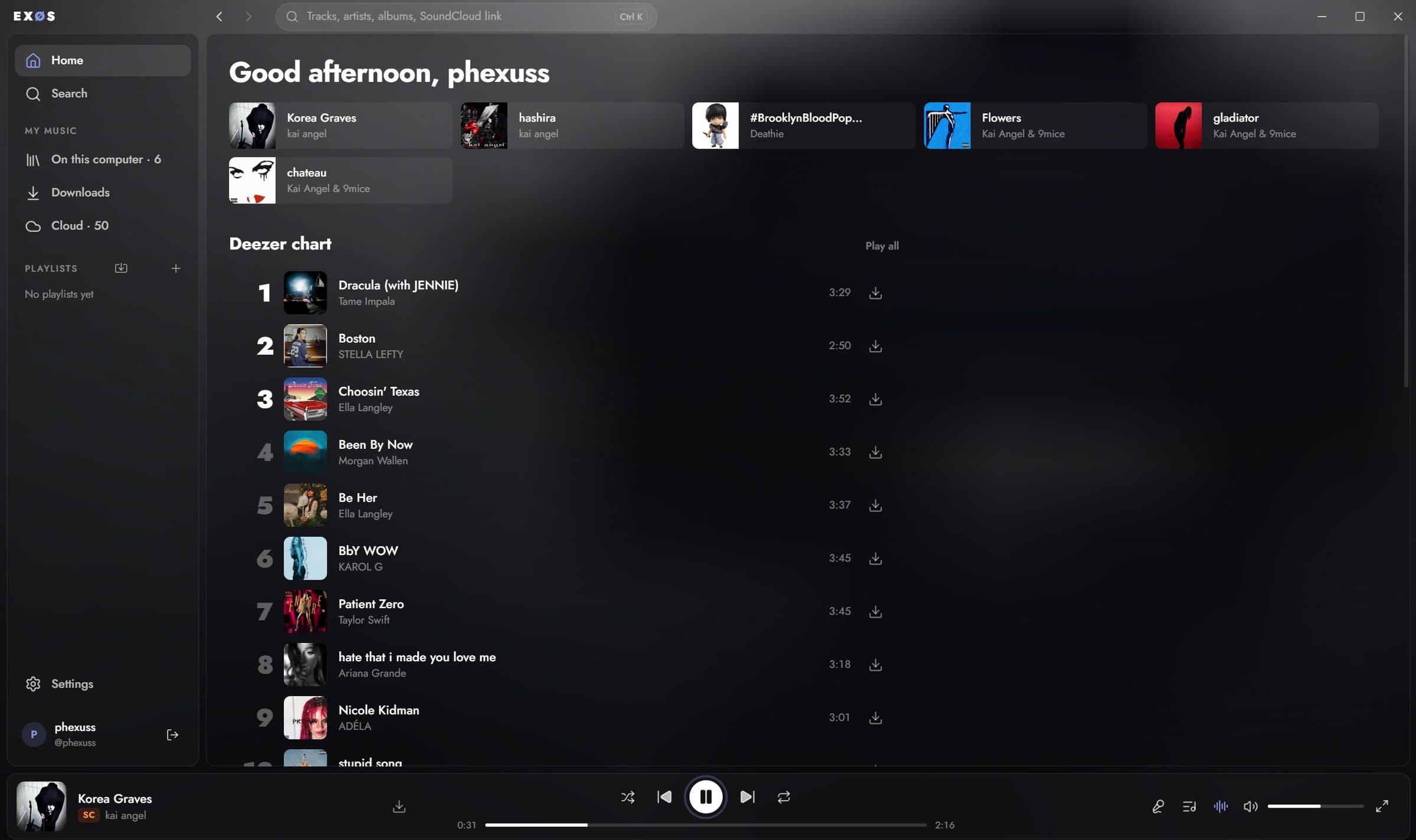
yt-dlp, Deno and ffmpeg install in one click and live in the app's folder. yt-dlp keeps itself up to date, and SoundCloud plays straight from its API.
Downloads land in a plain music folder as Opus, M4A or MP3 at 128, 192 or 320 kbit/s, and open in any player.
Make your own, or bring one over by link from Spotify or SoundCloud. Drag tracks in, drag them into order.
Sped up and slowed + reverb, a 10-band equalizer, volume normalization and crossfade, live on any track. A volume curve like a mixer's, so 1% is actually quiet.
Synced lyrics light up line by line. Under the cover in the full-window player: a spectrum, a wave or VU meters.
Sign up right in the app. Everything you download, on the phone too, is listed in your account, and whatever this computer lacks downloads in one click.
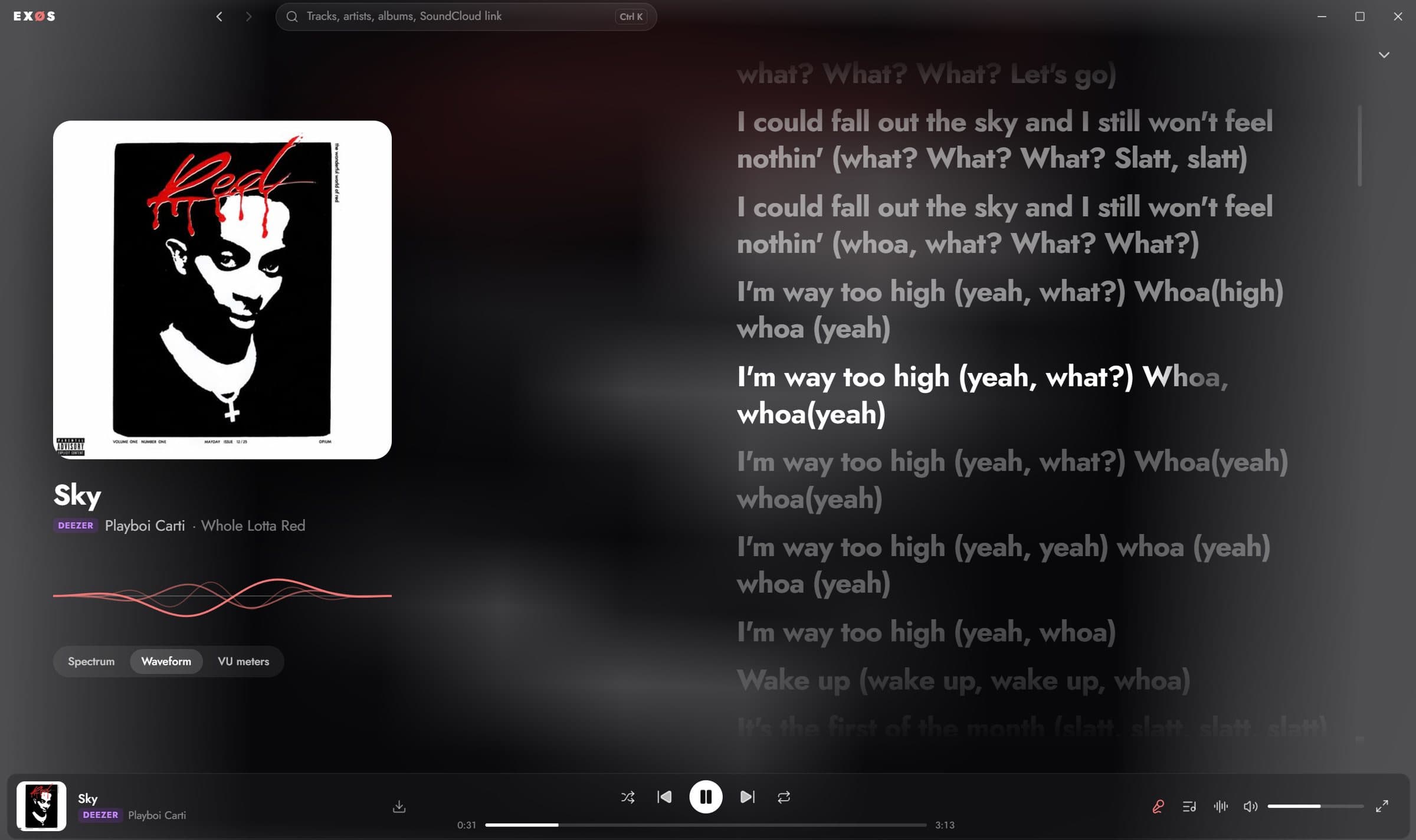
Cover, lyrics at full height and the visualizer. F opens it, Esc closes it. Draws at your monitor's refresh rate.
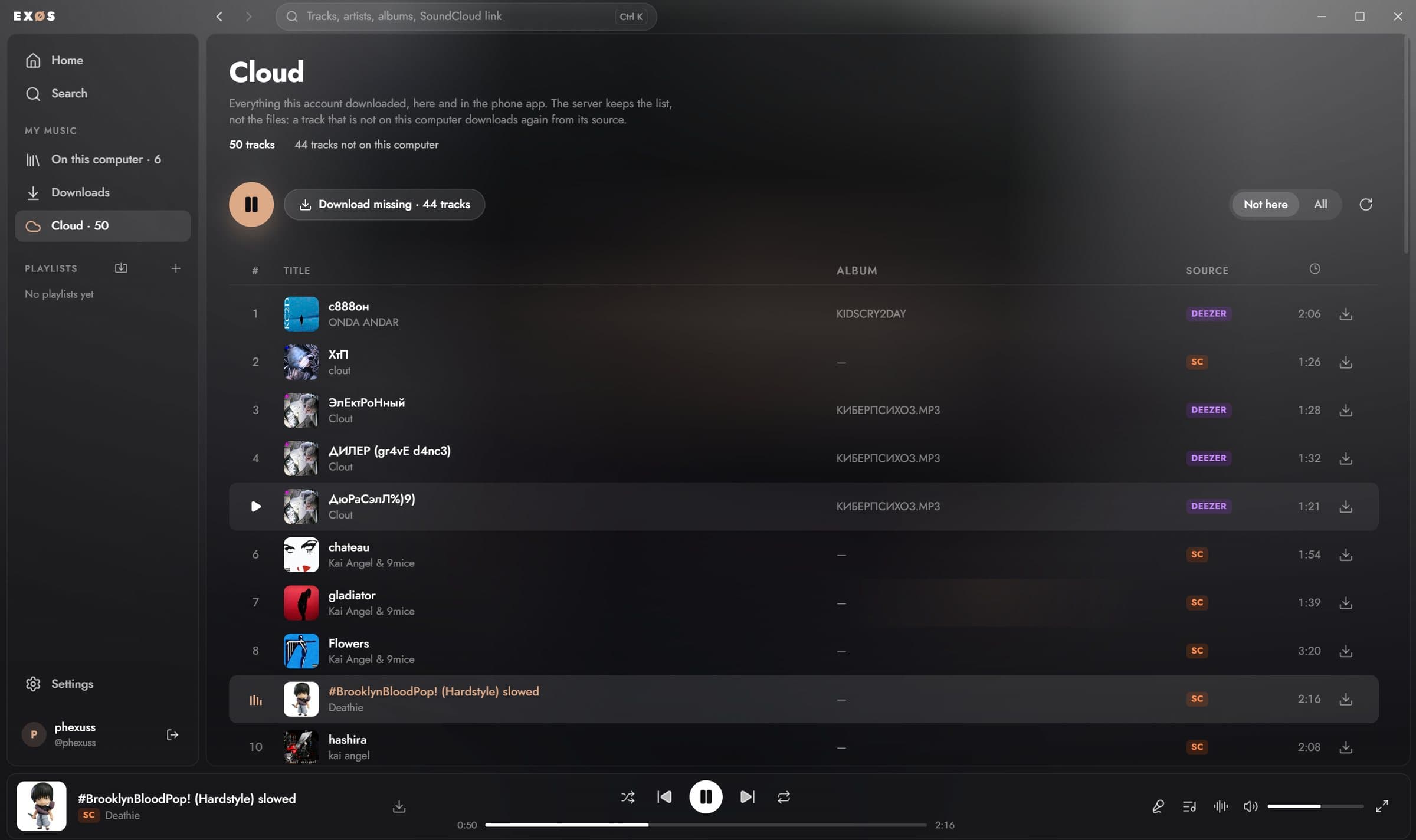
What this account downloaded on every device. See what is missing on this computer and get all of it at once.
Auto-search picked the wrong version, or found nothing at all? The pencil in the lyrics panel opens an editor, and for that track your lyrics win over the found ones.
Plain text or LRC with time tags. Drop an .lrc, .srt or .txt file in; SRT turns into LRC on its own.
Search by any words right in the app. Each entry shows whether it is synced and matches the track's length, and you can read it before taking it.
The track plays and you press Space as each line starts. Plain text becomes synced, no millisecond editor needed.
Three things in the player that change how music sounds, not which music plays. Each turns on with one switch and costs nothing when it is off.
Ten bands from 32 Hz to 16 kHz, ±12 dB each, and presets for bass, vocals, treble, electronic and acoustic. It sits on its own page next to sped up and slowed.
Quiet and loud tracks play at one level. Loudness is measured while the track plays, so nothing is scanned ahead and nothing waits; the app remembers each track's level after the first half minute.
The next track fades in while this one fades out, like a DJ mix. A switch and a length from 1 to 12 seconds, in Settings → Playback.
The desktop app does not ask the server for audio: your computer finds, plays and downloads it itself, and it never passes through the server. The phone app works the same way, with the server only as a fallback.
Choose between the rich database of Deezer and the speed of SoundCloud.

Version 0.8.2. Builds are not signed yet. On Windows choose More info → Run anyway; on macOS right-click the app → Open.